Release Week: June 1–7
ReleaseLast week added workspace-based agent grouping, one-click worktree entry points, worktree setup scripts, MiniMax M3 support, active-agent keep-awake behavior, and better recovery after network loss.
What Shipped Last Week
Last week focused on making stagewise agents run more reliably when you're on the go, and on making worktrees a first-class part of the workflow.
The sidebar can now group agents by workspace. Worktrees are easier to manage and clean up. New worktrees can run setup scripts automatically. We also added support for MiniMax's latest model, M3.
Group agents by workspace
The agent sidebar now has a Group by Workspace option.
Instead of one long list, agents can be split by the workspace they use. For Git repositories, stagewise also separates agents by worktree, so parallel work stays easier to scan.
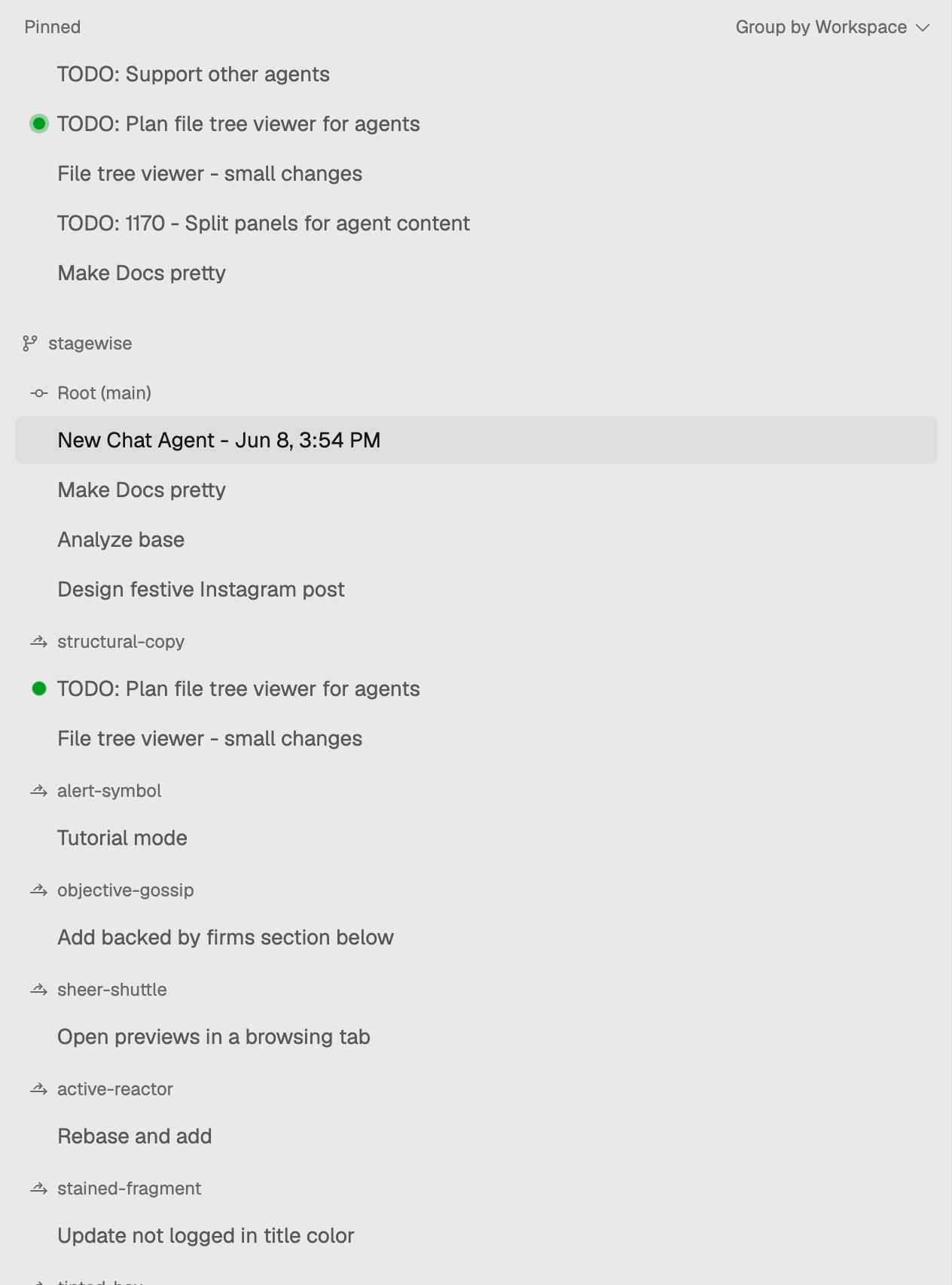
This matters once you have more than a few agents running. A refactor in one worktree, a docs task in another, and a quick fix in the main checkout should not all look like the same pile of chats.
The new grouping also adds better worktree actions. You can create an agent in an existing worktree or a new worktree with one click. When deleting a worktree from the sidebar, stagewise can also clean up the agents that were using that workspace.
Worktree setup scripts
stagewise can now run setup scripts for managed worktrees.
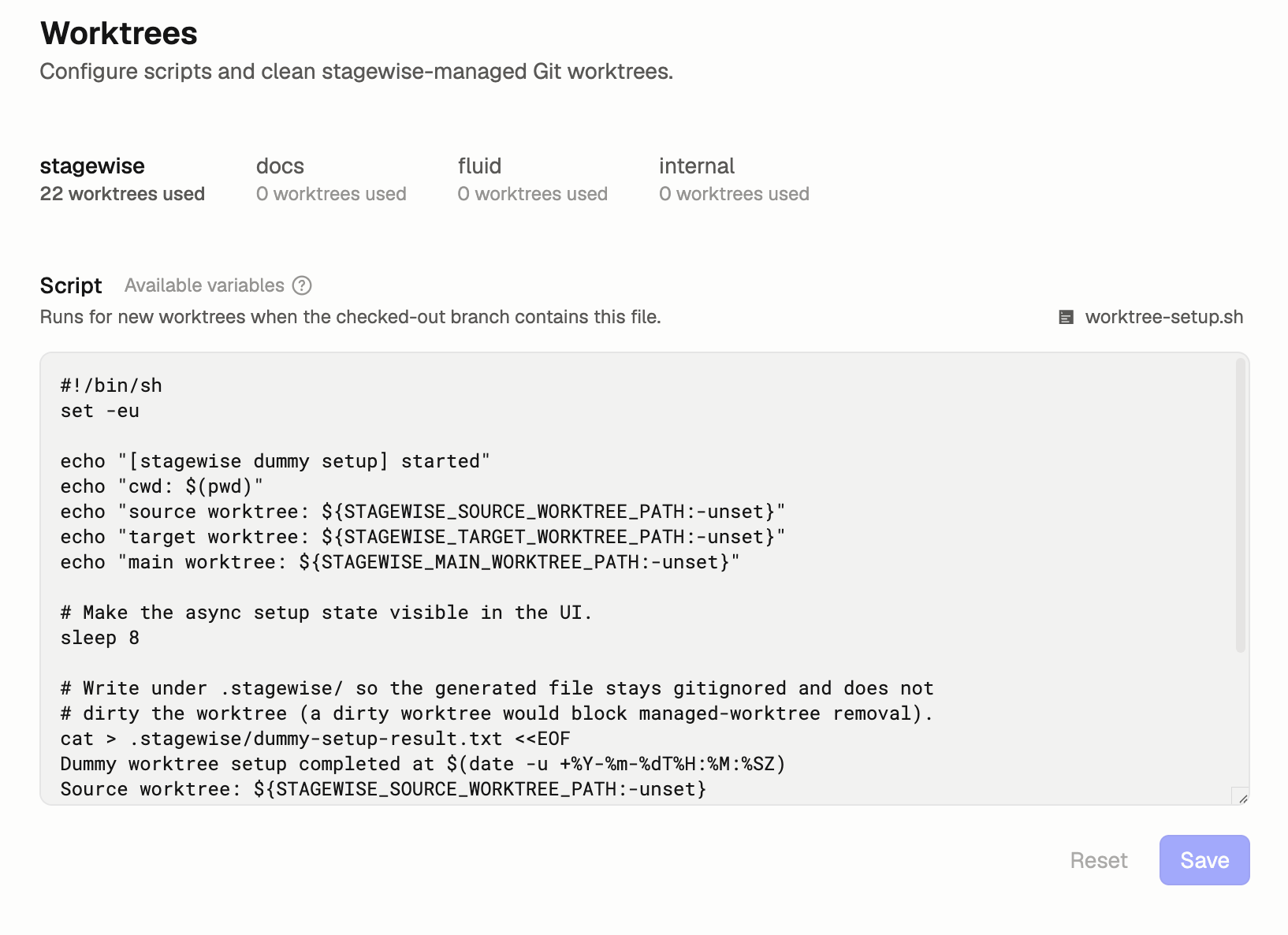
This is for the repetitive work that usually happens after creating a fresh worktree: installing what is needed, preparing local state, or making sure dev apps can be shown without manual setup.
The goal is simple: when an agent starts in a new worktree, that workspace should be ready to use. With this new feature, you can just start with the work instead of opening a terminal and fixing the environment first.
MiniMax M3 is now available
We added support for MiniMax M3 in the model picker.
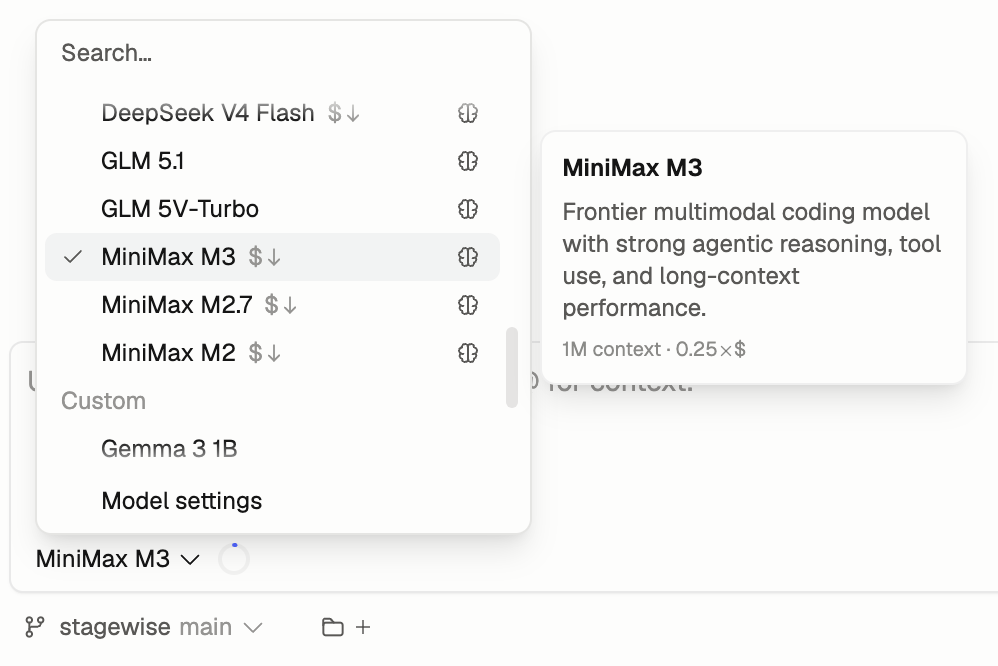
MiniMax M3 is a frontier multimodal coding model with a long context window. It is now available alongside the other supported models for agentic coding work in stagewise.
Active agents can keep the system awake
Agents can now keep the system awake while they are active.
That is a small change with a big practical effect: long-running tasks are less likely to stall because the machine went to sleep halfway through a build, test run, or multi-step edit. This means you can finally leave your machine running and grab a coffee at the same time, confident that the agents keep working on their tasks.
Better recovery after network loss
Agents now automatically resume their work after network connectivity returns. We added this because agents should keep going when you're on the go or moving from one place to another.
Force awake mode for stricter macOS sleep behavior
Apple Silicon-based macOS devices are more aggressive about suspending on battery power. For those machines, we added a manual force awake option.

You can enable it with the new coffee-mug button at the bottom of the sidebar. It is intentionally manual because it can significantly affect battery usage while the machine is closed. But if you need your agents to keep working when you're on the go, this gives you that control without giving up the advantages of locally running agents.
What the Week Adds Up To
This week made stagewise more reliable for parallel agent work.
Workspace grouping gives the sidebar more structure. Worktree setup scripts make fresh worktrees less brittle. Keep-awake behavior and network recovery reduce the two most annoying ways long-running agent work can get interrupted.