Release Week: May 25–31
ReleaseLast week moved stagewise to production releases with 1.0.0, added nightly builds, improved terminal reuse, introduced user-controlled terminals, shipped native worktree management, expanded hotkeys, and added notification sounds.
What Shipped Last Week
Last week was a milestone week for stagewise: 1.0.0 is out.
We moved from Alpha Pre-Release builds to regular production releases, with nightly builds running alongside them. The production channel is now the default path for people who want the stable version of stagewise. Nightlies stay available for users who want to test what landed most recently.
Alongside the promotion of stagewise to a stable release, we added several widely requested features: user-controlled terminals, native Git worktree management, notification sounds, and more hotkeys.
stagewise 1.0.0 is released
stagewise no longer ships as an Alpha Pre-Release. Starting with 1.0.0, stagewise now has regular production releases.
That gives us a cleaner release model: stable builds for regular use, nightly builds for testing the newest changes early.
To update, you need to make a one-time switch to the production build. Pre-Release users will be notified by stagewise.
Agents reuse terminals more reliably
Agents can now avoid creating redundant shell sessions and reuse open terminals properly.
Before this change, agents could be too eager to start a fresh terminal, even when an existing one was the better place to continue.
Now agents are more deliberate. If a suitable terminal is already open, they can keep using it instead of scattering work across unnecessary sessions.
User-controlled terminals inside stagewise
You can now create and use terminals directly inside stagewise. That lets you start dev servers, watch logs, and run commands without leaving the app.
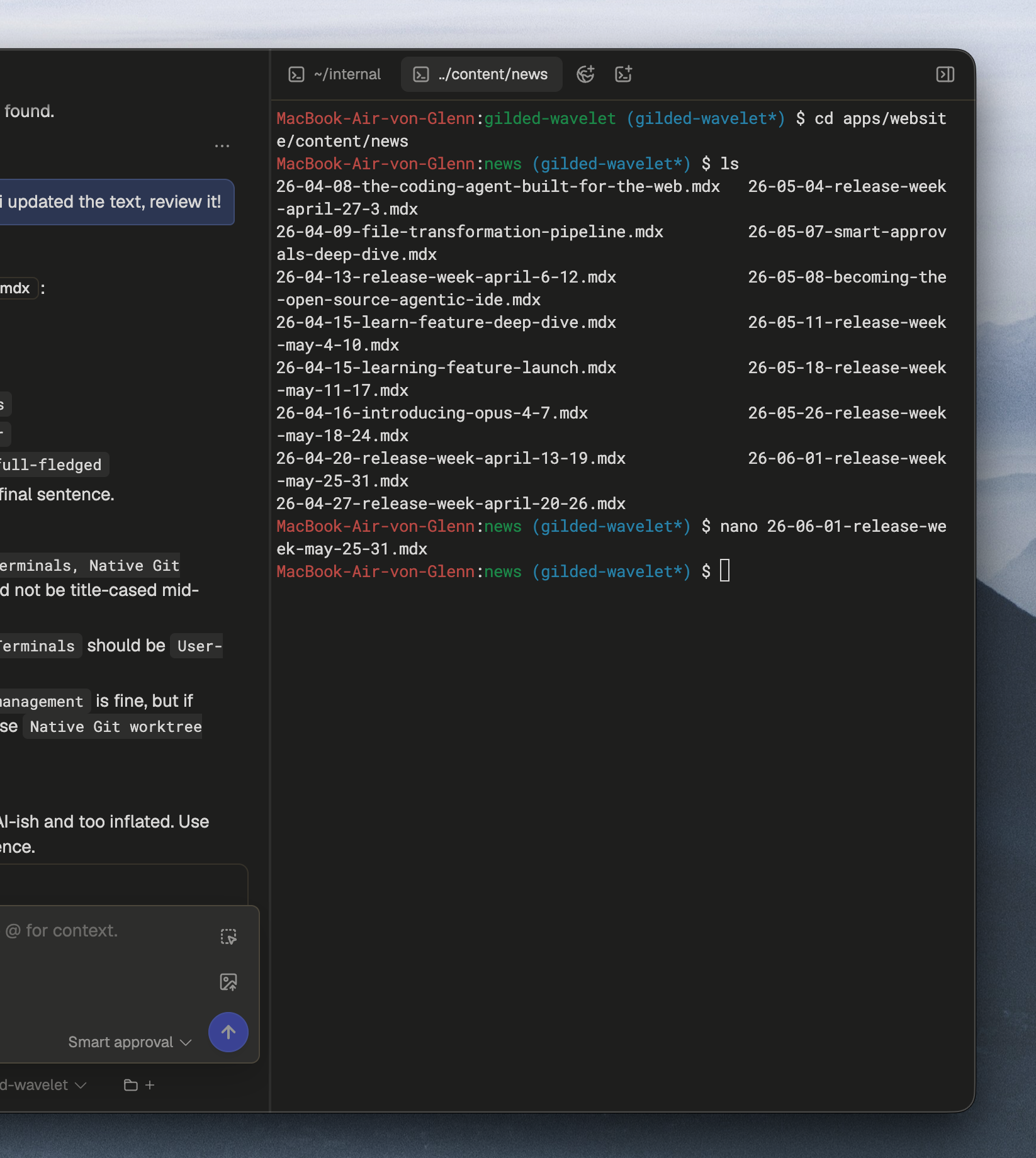
User-controlled terminals are another step toward a full-fledged development experience inside stagewise. Browser tabs, agents, and terminals can now live in the same workspace.
Native worktree management
stagewise now has native support for managing git worktrees. This allows you to select what kind of workflow you want to use when starting with a new agent.
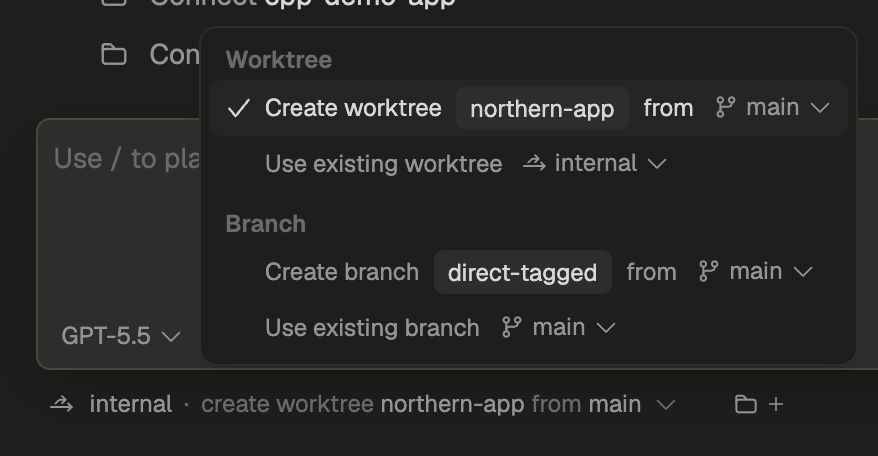
We deliberately kept this experience simple. When starting a new agent, you can choose whether to use a new worktree, an existing worktree, or a branch in the main repository checkout.
We avoided adding dedicated UI for commit and push state because agent-powered Git control has worked well for most cases. If you need a more powerful Git experience, tell us.
More persisted UI state
stagewise now remembers which agent was last opened across restarts, as well as all global and per-agent browser and terminal tabs.
More powerful hotkeys
We added more hotkeys for controlling stagewise from the keyboard.
This matters more as stagewise grows into a workspace with agents, browser tabs, terminals, worktrees, and app-level controls. The less you need to reach for the mouse, the faster the whole loop feels.
Notification sounds
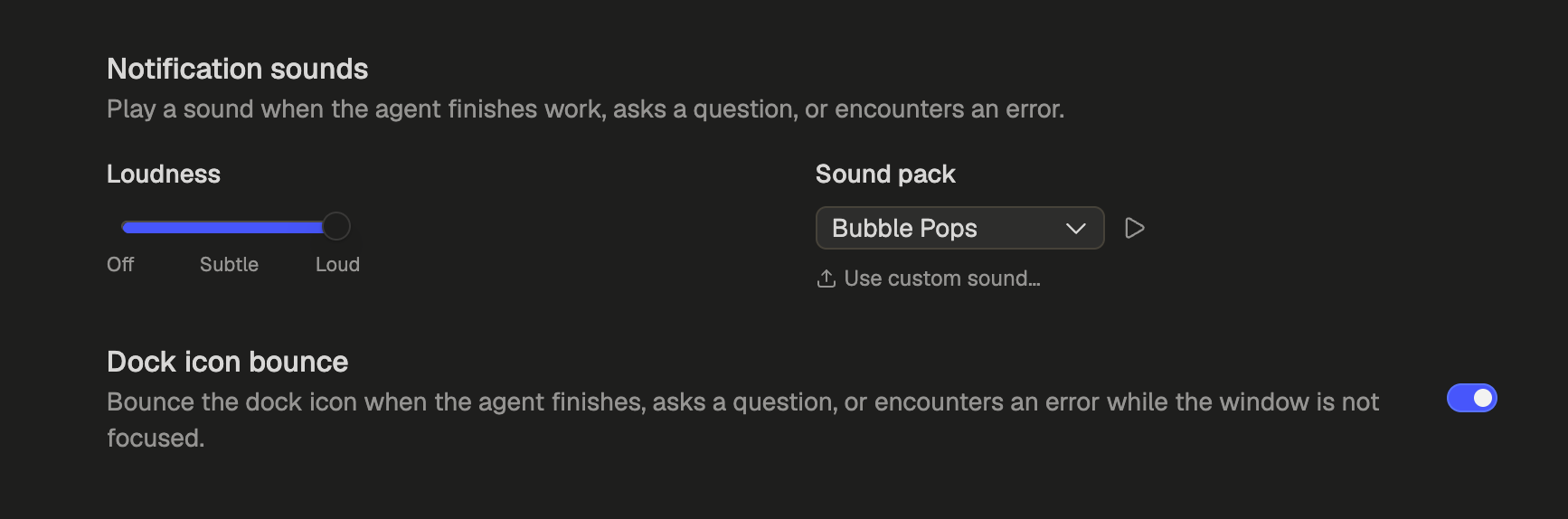
Notification sounds are now available in stagewise, so you can get back to finished and waiting agents faster. We offer several built-in sound themes, a volume control, and support for custom sounds.
What the Week Adds Up To
This week moved stagewise onto a stable release track and made the workspace itself more capable.
Terminals are easier to use and easier for agents to reuse. Worktrees make parallel agent work cleaner. Persisted state, hotkeys, and notification sounds reduce the amount of manual checking needed while work is running.