Release Week: May 11–17
ReleaseLast week brought a reworked agent sidebar with search and pinning, smarter tool-call permission defaults, better results for Claude and Gemini model users, and several small fixes.
What Shipped Last Week
One sidebar for all your agents
We removed the agent archive, and instead, every agent now lives in a single sidebar, ordered and searchable. No more deciding whether an agent is "active" or "archived" — search for the one you need and continue any previous session.
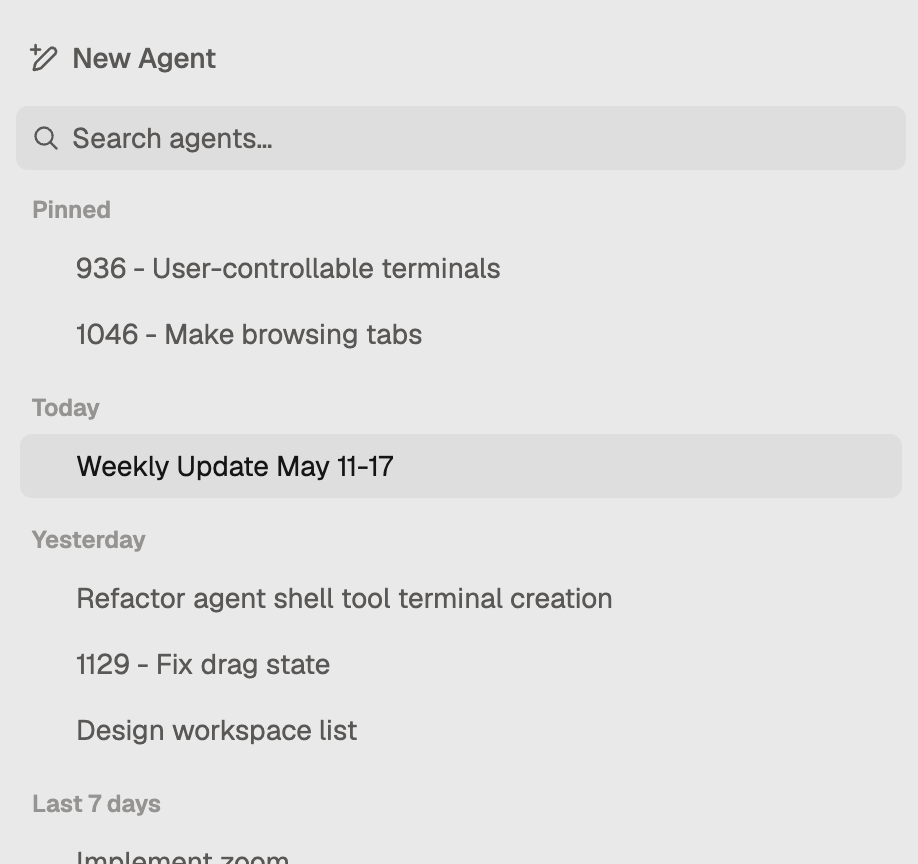
We also added agent pinning. Click the pin icon and that agent stays at the top in its own section, regardless of how many others you spin up. The agents you use every day stay at your fingertips. The rest sit below, still searchable when you need them.
Permission mode sticks across chats
stagewise now remembers your last used tool-call permission mode and applies it to new agent chats automatically. If you work in Smart Approval, new agents start that way. No reconfiguring.
One exception: Always Allow won't carry over. Handing an agent unrestricted shell access by default is rarely a good idea. You can still switch to it manually when the task calls for it.
Thinking blocks are no longer lost
stagewise was dropping earlier thinking content from Anthropic Claude and Google Gemini models under certain conditions. That's fixed. Claude and Gemini agents should now have an easier time staying consistent instead of circling back to the same issues.
Slash commands survive context compression
Slash commands — like continuing a plan or implementing tasks — now hold their intent after the context window compresses. Agents stay on track instead of drifting when sessions run long.
A couple of fixes
- The UI no longer flickers when scrolling on macOS.
- Closing stagewise used to throw a crash report because LSP servers were not shutting down correctly. That's fixed — the app quits cleanly now.